2 22

Navigating to the Change Pages


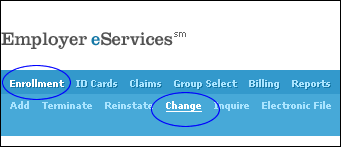
Use the Employer eServices menu to start the change process:

  • Position your cursor over the Enrollment option on the blue menu bar. A second menu bar appears under the first one.
  • Click Change