 |
 |
 |

|
|
|
|
|
|
|

|
3 | 
|
22 |

Record Selection
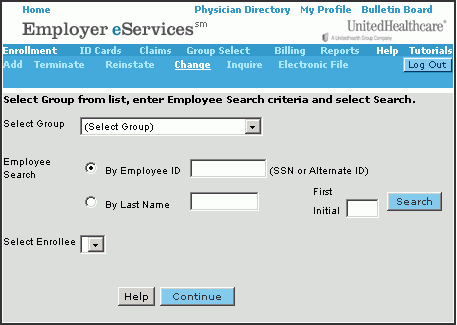 |
To make a change you need only add/revise the group, employee and/or the enrollee information that needs to be updated. |
|
|
On this first page, you begin the process by verifying the group and identifying the employee.
|
||
|
If the correct group does not display, click the down arrow on the Select Group field and select the desired group. |
||
| Note: Depending where you have previously been in Employer eServices, the desired information may automatically display on this or following pages. | ||